Choosing the right deep-sky target is one of the most important decisions in astrophotography. A galaxy or nebula may be perfectly positioned in the night sky, but that doesn’t necessarily mean it is a good match for your telescope and camera.
A target might be too large for your field of view, too small to capture useful detail, or poorly positioned during your available imaging time.
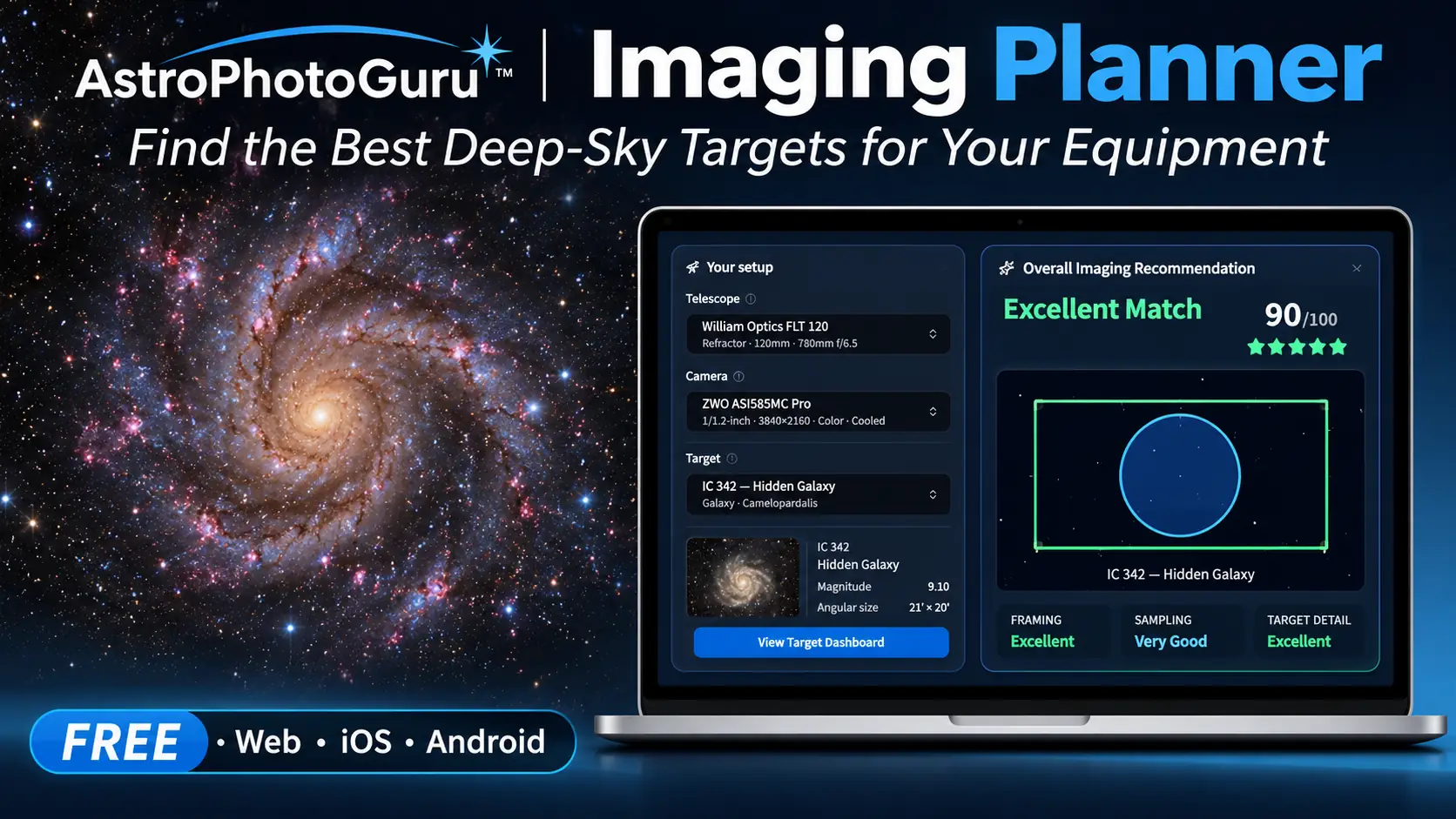
The free AstroPhotoGuru Imaging Planner helps solve these problems by bringing target discovery, equipment compatibility, camera framing, and observing conditions into one interactive planning tool.
Whether you’re just getting started or already have an established imaging setup, the Planner can help you make better decisions before spending hours collecting exposures.
Discover Your Best Deep-Sky Targets — Free!
Stop guessing which galaxies and nebulae will work with your equipment. The AstroPhotoGuru Imaging Planner helps you discover suitable targets, evaluate telescope and camera combinations, and preview your framing before you head outside.
Free to use • No account required to get started • Desktop & mobile
Discover the Best Deep-Sky Targets for Tonight
One of the first questions astrophotographers ask is simple: What should I photograph tonight?
The AstroPhotoGuru Imaging Planner helps answer that question with a personalized list of recommended deep-sky targets.
Instead of browsing a general catalog and manually checking whether each object is suitable, you can explore recommendations based on your observing location, selected equipment, and imaging time.
The Tonight’s Best Targets display includes galaxies, nebulae, and star clusters, with useful information such as:
- Target names, photographs, and object types
- Observing suitability and recommended imaging windows
- Equipment compatibility
- Links to more detailed target information
This makes it easier to move from a long list of possibilities to a practical imaging plan.
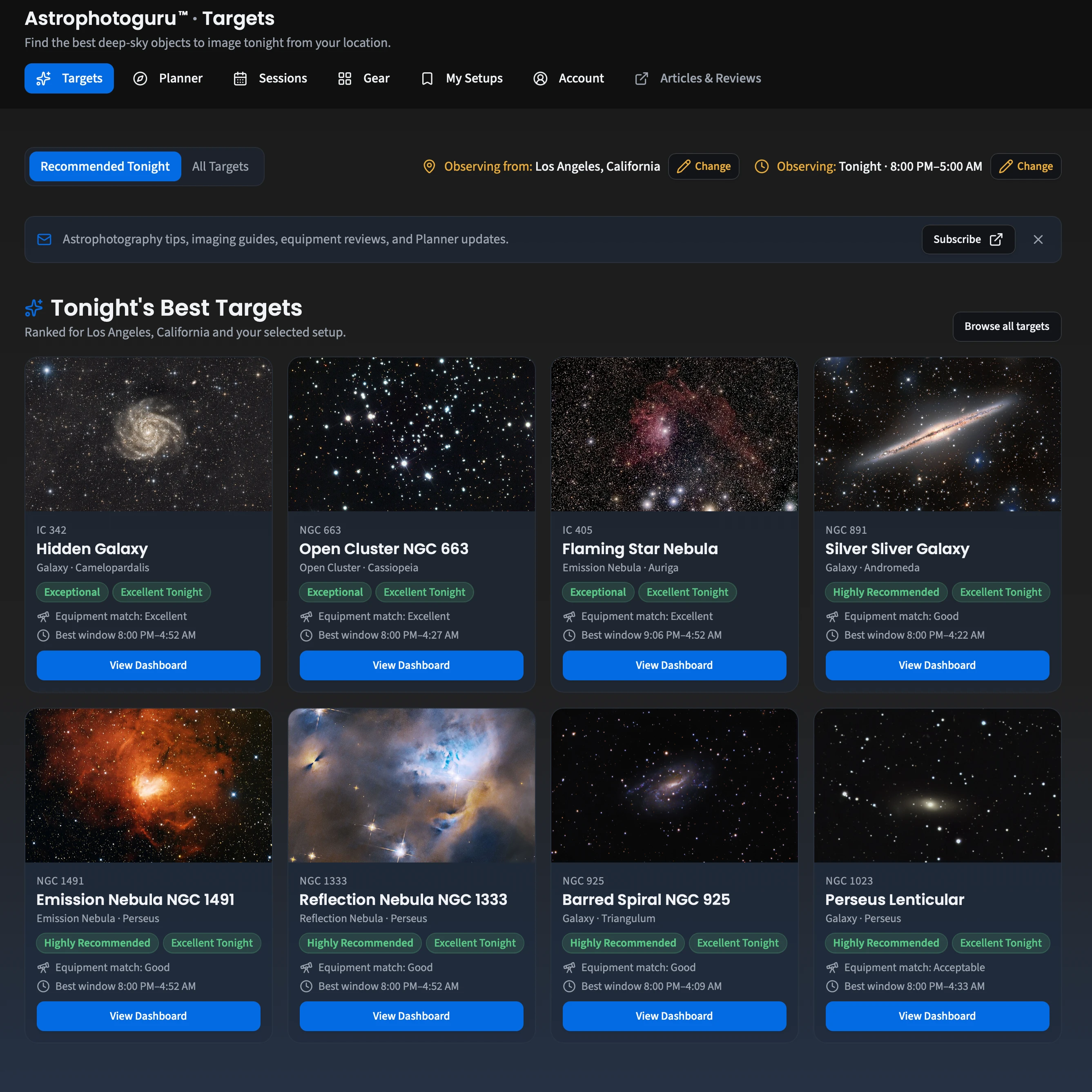
AstroPhotoGuru’s recommended targets help you identify promising deep-sky objects for your location, equipment, and observing session.
See How Your Telescope and Camera Work Together
Every telescope and camera combination produces a particular field of view and image scale.
A wide-field refractor with a full-frame camera can capture large emission nebulae, while a longer-focal-length telescope paired with a smaller sensor may be better suited to compact galaxies or planetary nebulae.
The Imaging Planner lets you select your telescope, camera, and optional optical accessories to evaluate how well your equipment matches a target.
It calculates key imaging characteristics, including:
- Horizontal and vertical field of view
- Image scale in arcseconds per pixel
- Target coverage within the camera frame
- Framing suitability
- Potential sampling limitations
The result is a practical evaluation of your imaging setup, rather than a collection of specifications you must interpret yourself.
A Real Example: Why M31 Requires a Different Setup
Consider the Andromeda Galaxy (M31), one of the most popular deep-sky imaging targets.
Using a William Optics FLT 120 refractor at 780 mm focal length with a ZWO ASI585MC Pro camera, the Planner identifies a major framing problem.
M31 extends approximately 3.17° across the sky, substantially larger than the camera’s field of view with this equipment.
The Planner reports:
- Overall Imaging Recommendation: 35/100 — Poor Match
- Framing: Poor
- Mosaic: Required
- Suggested mosaic: 12 panels in a 4 × 3 arrangement
Although this combination offers acceptable image sampling, it cannot capture the entire galaxy in a single frame.
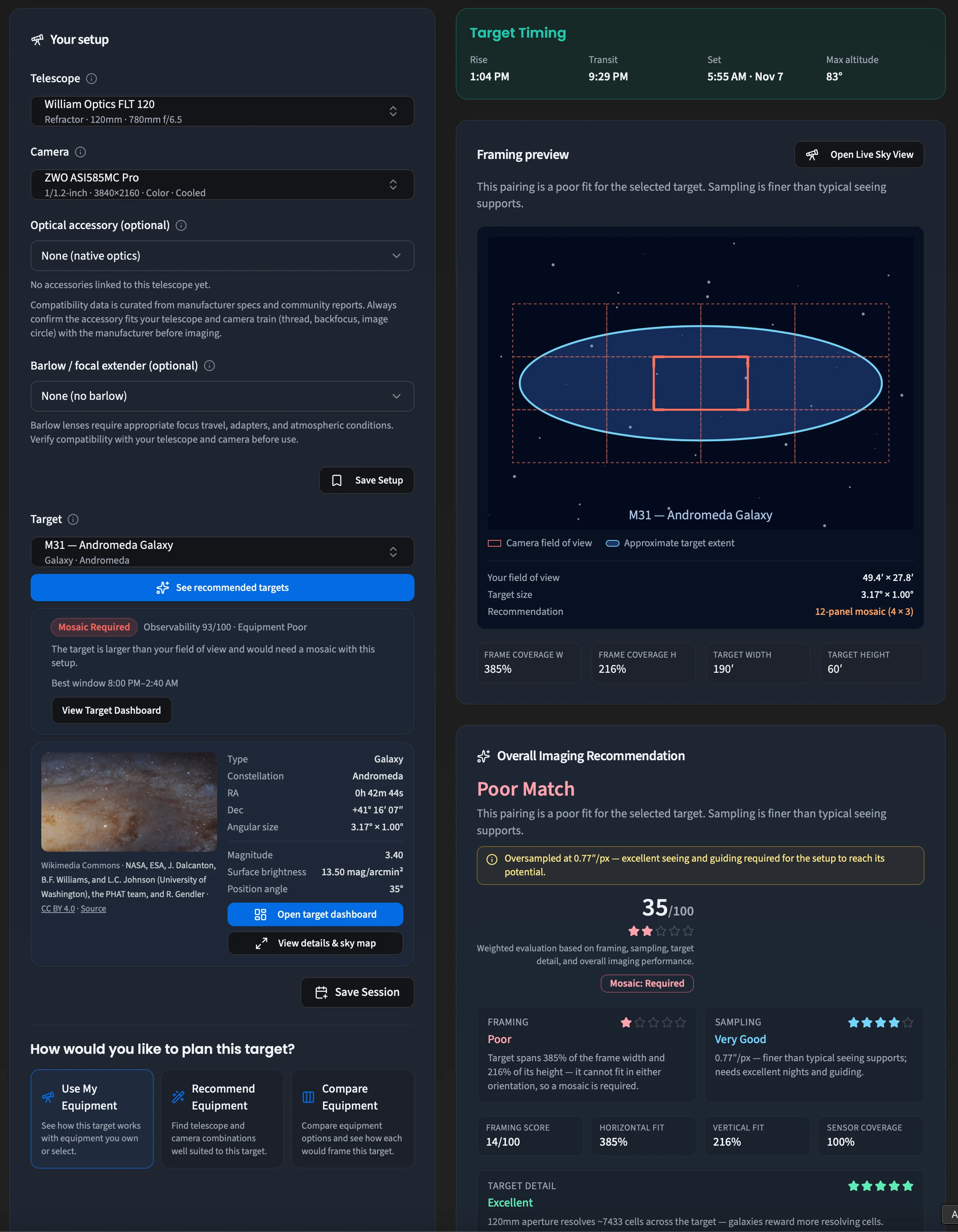
The Andromeda Galaxy is too large for this telescope and camera combination. The Planner identifies the framing problem and indicates that a mosaic would be needed.
This is precisely the kind of problem that is better discovered before an imaging session.
Compare That with IC 342: An Excellent Match
Now consider IC 342, also known as the Hidden Galaxy, using exactly the same telescope and camera.
Unlike M31, IC 342 fits comfortably within the camera’s field of view.
The Planner reports:
- Overall Imaging Recommendation: 90/100 — Excellent Match
- Framing Suitability: 100/100 — Excellent
- Mosaic: None
- Target coverage: Approximately 72% of the frame height
- Image scale: Approximately 0.77 arcseconds per pixel
The Planner also notes that this image scale is finer than typical seeing supports, so excellent atmospheric conditions and accurate guiding would be needed to realize its full potential.
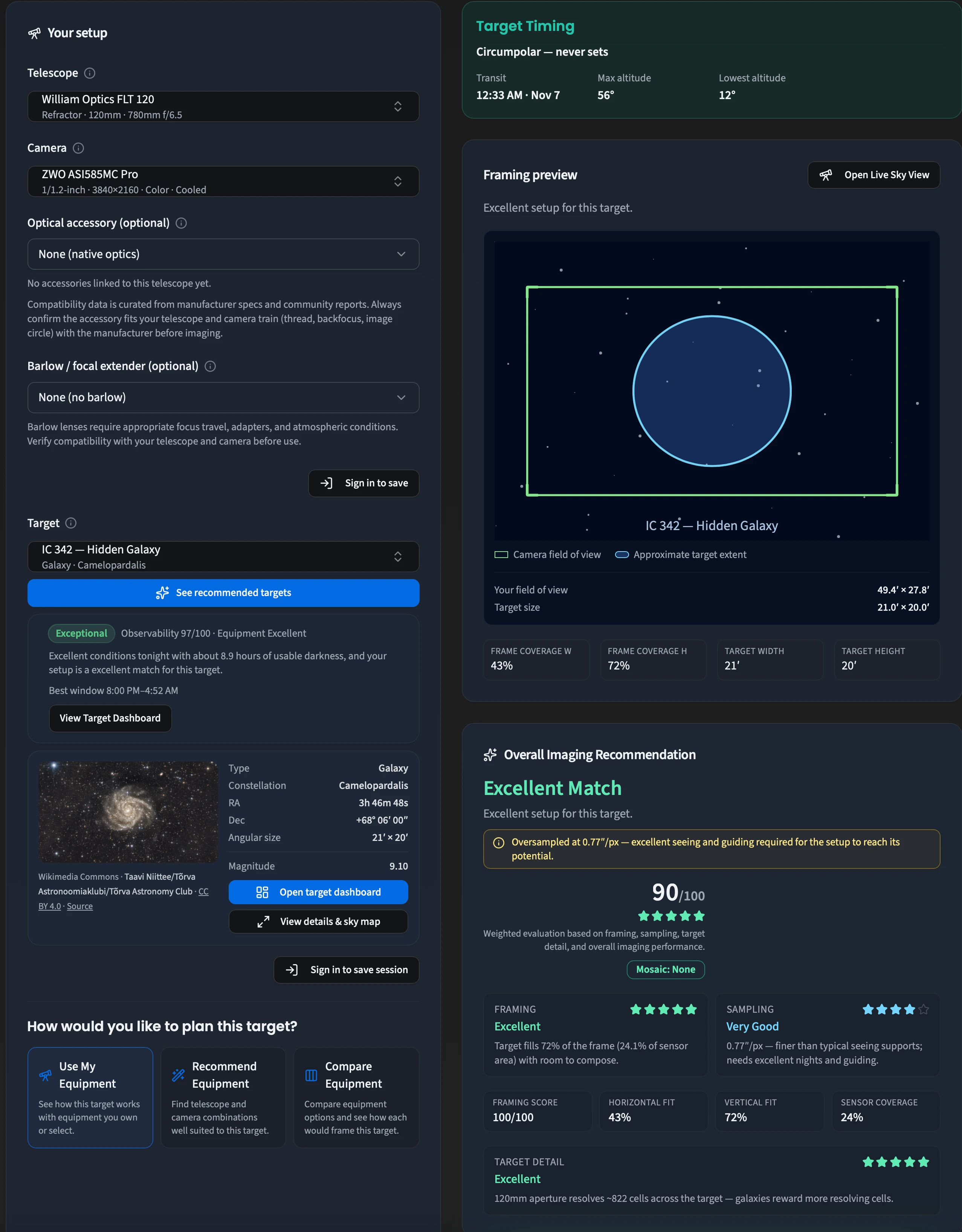
With the same telescope and camera, IC 342 receives an excellent recommendation because it fits comfortably within the camera frame.
The contrast between M31 and IC 342 illustrates an important principle: there is no single telescope and camera combination that is ideal for every deep-sky target.
The best choice depends on the target’s apparent size, the optical system, and the conditions under which you will image it.
Understand the Overall Imaging Recommendation
The Imaging Planner evaluates more than whether a target physically fits within your camera frame.
Its Overall Imaging Recommendation considers several factors, including framing, image sampling, target detail, and practical imaging conditions.
The results are displayed in an easy-to-understand scoring system with explanations for individual components.
For example, a setup may provide excellent framing while also producing an image scale that demands unusually steady seeing.
Rather than hiding these tradeoffs behind a single score, the Planner explains why a combination receives its recommendation.
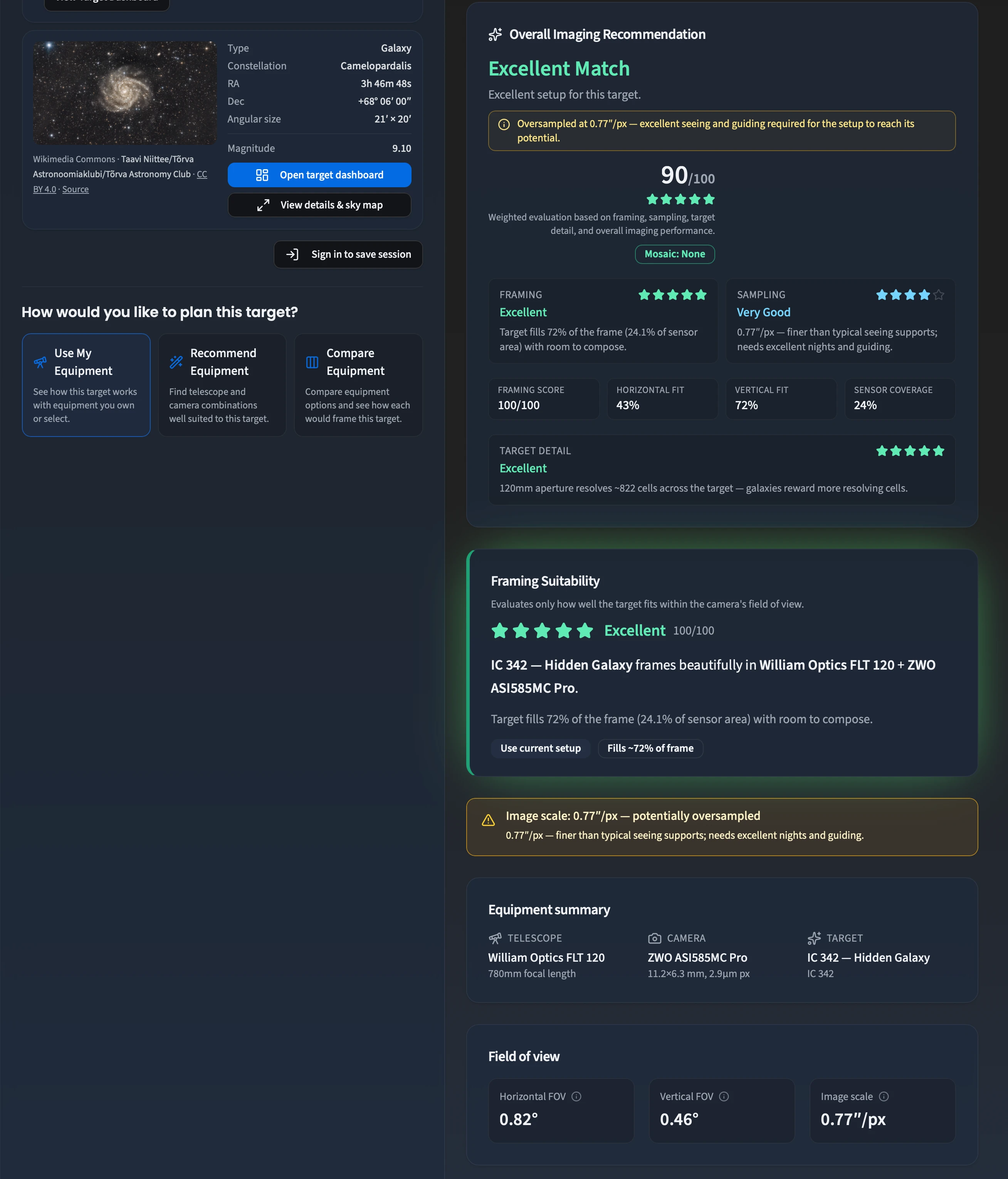
Detailed scoring separates framing suitability from the overall imaging recommendation, helping users understand the strengths and limitations of a particular setup.
This is especially useful when comparing different cameras, focal lengths, or optical accessories.
Explore Real Sky Imagery with Live SkyView
A calculated framing diagram is useful, but seeing your camera’s field of view against actual astronomical imagery provides another level of confidence.
The Planner’s Live SkyView feature displays real sky survey imagery with an interactive camera framing overlay.
You can explore the target, adjust the view, and see how the camera frame relates to the surrounding sky.
Features include:
- Real astronomical survey imagery
- Camera field-of-view overlay
- Adjustable camera rotation
- Zooming and panning
- Recenter and Fit Frame controls
- Coordinate grid options
On supported mobile devices, you can also pan the sky with one finger and use a two-finger pinch gesture to adjust the view.
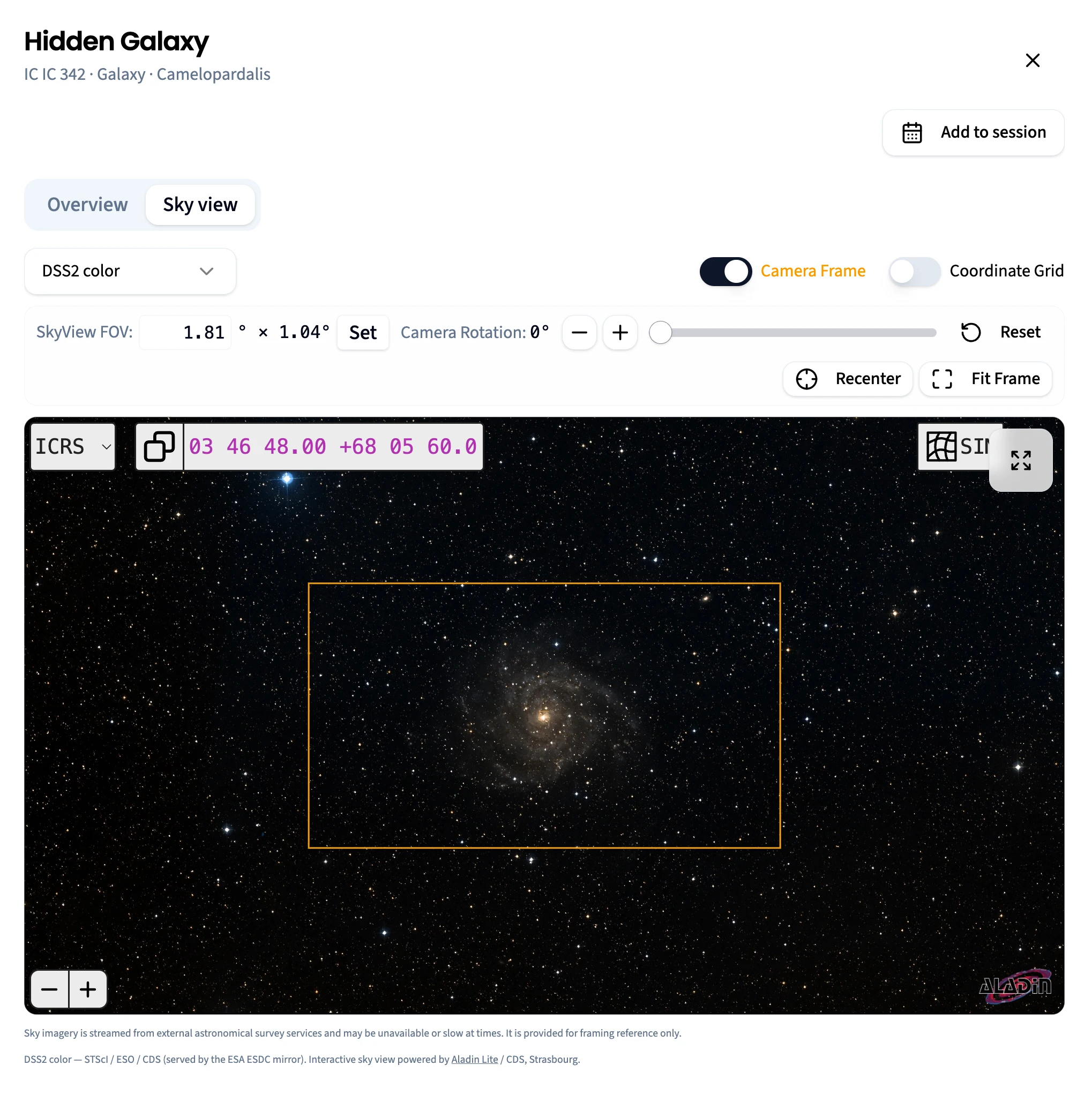
Live SkyView displays real survey imagery of IC 342 with the camera’s field of view superimposed, making it easier to visualize the composition.
SkyView is designed as a framing reference. The imagery is streamed from external astronomical survey services, so availability and loading speed can vary.
Save Your Equipment Setups for Future Sessions
Many astrophotographers own more than one camera or telescope, and frequently switch between different imaging configurations.
The Imaging Planner lets signed-in users save reusable equipment setups.
A saved setup can include a telescope, camera, and optical accessories, allowing you to return to a familiar configuration without repeatedly entering the same information.
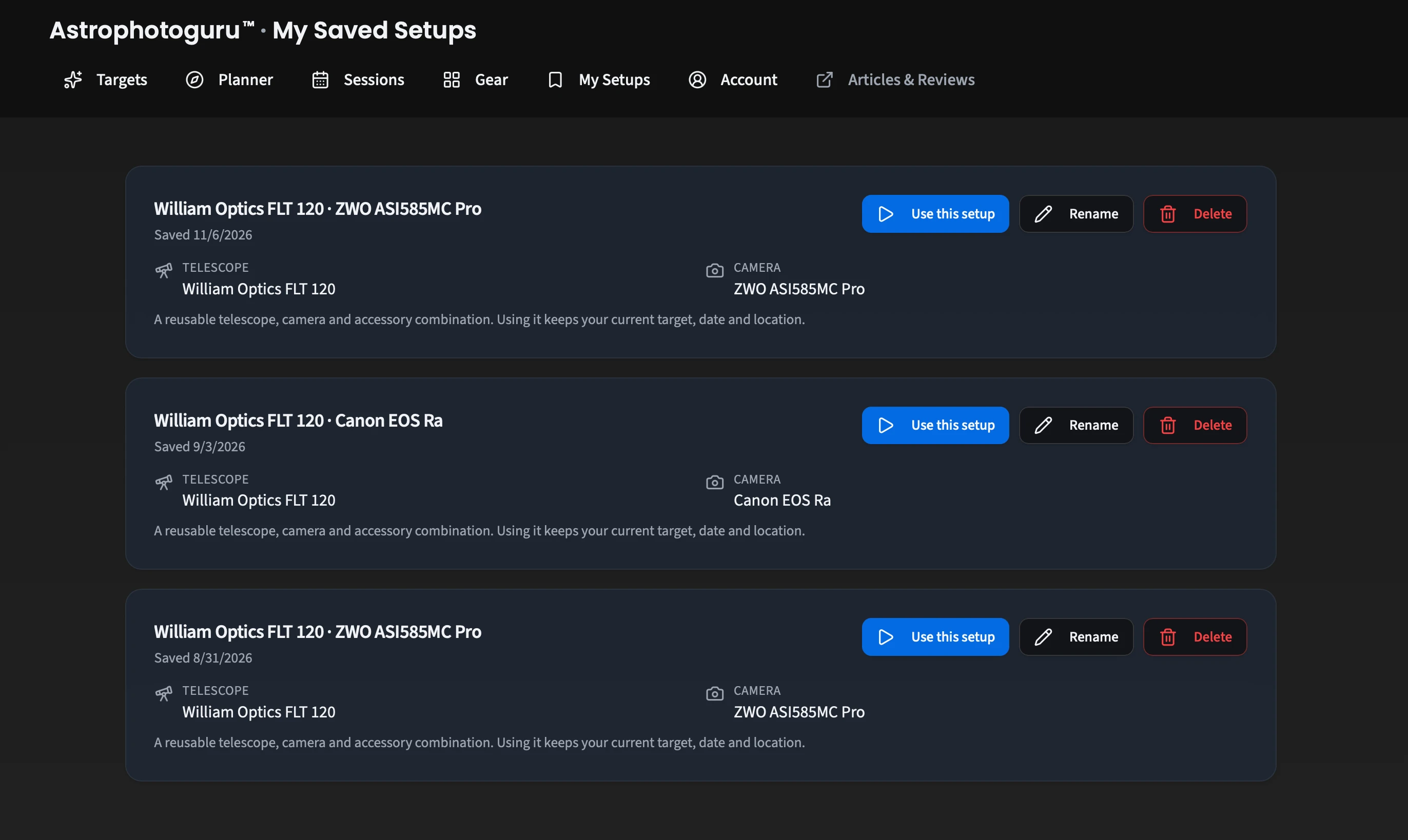
Saved setups make it easy to reuse telescope and camera combinations when planning future imaging sessions.
You can also use the Planner without signing in. An account is needed when you want to save and manage your setups and sessions.
Plan from Your Desktop or Phone
Astrophotography planning doesn’t always happen at a desk.
You might be checking targets while setting up your telescope, evaluating framing in the field, or reviewing tomorrow night’s possibilities from your phone.
The AstroPhotoGuru Imaging Planner is designed for both desktop and mobile use.
The desktop interface makes it easy to view equipment selections, framing diagrams, and detailed recommendations together. The mobile interface adapts these features to a narrower screen.
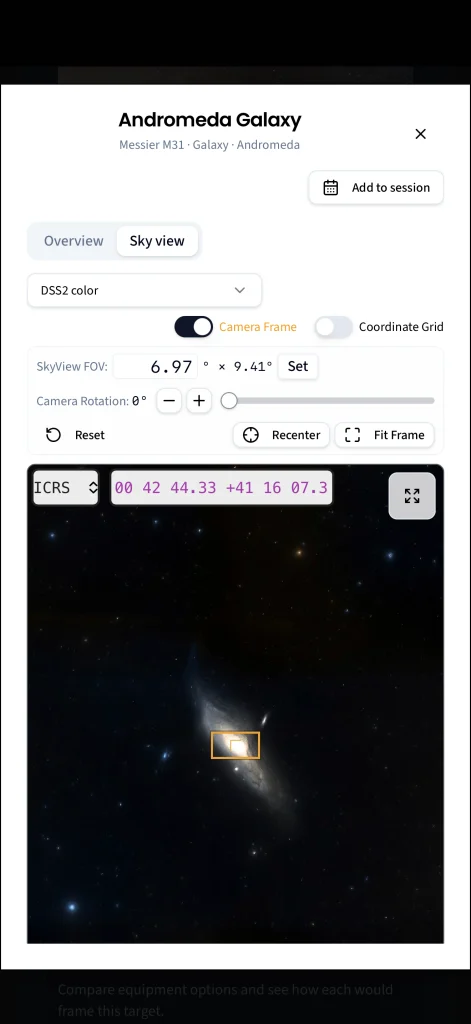
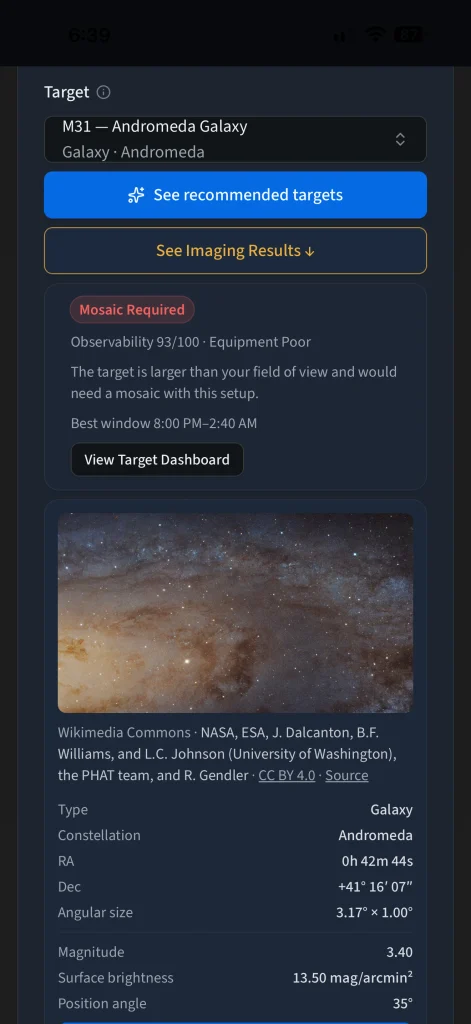
The AstroPhotoGuru Imaging Planner is accessible on mobile devices, including interactive target information and Live SkyView.
The Planner is available on the web, with mobile apps available through the Apple App Store and Google Play.
Who Is the Imaging Planner For?
The Planner can help astrophotographers at different experience levels.
Beginners can discover suitable targets and better understand the relationship between telescope focal length, camera sensor size, and target framing.
Intermediate astrophotographers can evaluate new targets, compare imaging configurations, and identify potential framing or sampling problems.
Experienced imagers can use the Planner to assess equipment combinations, explore target composition, and prepare imaging sessions more efficiently.
The goal is not to replace experience or judgment, but to make useful planning information easier to access and interpret.
Start Planning Your Next Deep-Sky Imaging Session
Successful astrophotography starts long before the first exposure.
Choosing an appropriate target, understanding your equipment’s field of view, and checking when an object will be well positioned can make the difference between a productive session and a frustrating one.
The free AstroPhotoGuru Imaging Planner brings these planning decisions together in one place.
Your Next Great Astrophotograph Starts Here
You have the equipment. Now find the right target. Discover what’s best to image tonight, see how your telescope and camera will frame it, and explore real sky imagery with Live SkyView.
Explore hundreds of deep-sky targets • Compare equipment • Save your favorite setups with a free account
You can also find additional astrophotography tutorials, equipment reviews, and imaging guides at AstroPhotoGuru.com.

